RX-10 with 3m touchscreen cable
A Touchscreen-Based Control Unit to Automate and Monitor Jacketed Lab Reactors
Material No.: 30217050
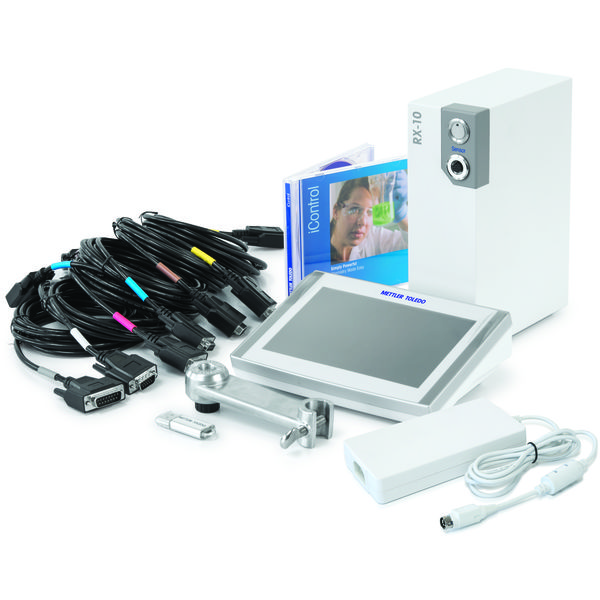
Material No.: 30217050
| Supported Thermostats | Huber, Julabo and Lauda models with RS232 port |
| Supported Stirrer Motors | Ika, Heidolph, ChemGlass and J-KEM models with RS232 port |
| SmartConnect port | Pt100, -10 to 10V, 0 to 20mA |
| Dimensions (LxHxW) | 70 mm x 215 mm x 152 mm |
| Weight | 2.88 kg |
| Power Requirements | 100 – 240 VAC, 50/60Hz |
 |
Hi, I'm Simon Ray. I'm a Senior Technology and Applications Consultant with Mettler Toledo. Today I'd like to introduce the RX-10. The RX-10 is a plug and play instrument for automating your JLR for unattended control and data capture. It can integrate other technologies in one place with a simple to use touch screen interface. So now I'm going to use the correct cable from the QuickStart Guide to connect the stirrer. Plug it into the back of the Rx10. You see immediately uh the connection is confirmed by seeing uh whatever the current set point was. So if I need to make a change, I want to change the string to say a hundred and fifty RPM, I just hit that button, type in one fifty and then start. Okay. you'll see the value increase. So this measuring the actual measurement. So it's not a rough estimate. And if there's uh increasing viscosity, that'll be indicated by this R_T_ value which is the power draw to the motor. Now we're gonna connect the recirculator in the same way we did the stirrer, by plugging the correct cable from the quick start guide into the back of the Rx10. As before you'll notice you'll see values come up immediately on the touch screen so we can make an adjustment for the temperature of the reaction or temperature of the jacket. Both of these are controlled by the actual recirculator and we're controlling them then from the touch screen. If I want to make an adjustment to the safety settings I can do so now. Just give an upper limit for the temperature. And then I'll make an adjustment to the set point of the temperature by pressing the T_R_ button so reaction temperature, set it's a a set point, hit start. You hear the ch circulating kick in. And now the circulator's gonna change the temperature to forty five degrees. We can add other devices such as sensors and valves, gravimetric dosing and so on through the easy control box. We can also add sampling with an easy sampler and pH control. We can add an annotation, we can look at the trends coming from the recirculator, the stirrer and any other devices connected to the Rx10, and that data can be exported via memory stick plugged into the Rx10 for download later. We can also add a PC control with eye control software as another layer of control to the Rx10. As you can see, the Rx10 can control a large variety of reactors as it records process data allowing scientists to perform more successful experiments, make informed decisions more quickly, therefore increasing productivity. For more information on the Rx10 and how to connect it to your existing reactor system, please visit our website.


