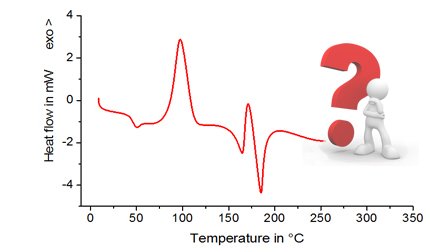
TGA/DSC Standard Calibration. In order to achieve accurate results, a TGA/DSC has to be regularly calibrated and, if necessary, adjusted. We will now show you how to perform a standard calibration on a TGA/DSC using aluminum reference substance as an example. For a TGA/DSC standard calibration, you will need the following accessories: two standard 70-microliter alumina crucibles, the calibration kit, and suitable calibration material. In the module control window of the STAR E software, go to Control Menu and deactivate Autostart. Then go to the routine editor, open the method, check TGA DSC Aluminum XO up. A short description of the sample preparation will be displayed in the sample preparation field. Enter the sample name, would be aluminum, followed by the batch number used for the calibration. Enter the sample position number on the sample robot turntable. Send the experiment. Let's start with the preparation of the calibration substance. Cut approximately 10 mm of aluminum wire in order to achieve the necessary mass and wrap it around the tips of tweezers. For built-in DSC and DTA sensors, make sure that an empty reference crucible is placed on the respective position. Place the empty sample crucible on the position of the robot turntable you specified in the software. Go to the module control window. Right-click on the experiment in the buffer. Choose the Weigh in Auto option. Choose Pan. and click OK. The crucible weight is now automatically determined and will be transferred to the module control window. This is one way for determination of the weight of pan and sample. Other ways are, you can use an external balance and enter the weight manually into the respective box of the software. You can also do this manually on the TGA balance. Determination of the accurate weight of the sample is necessary for heat flow calibration, as the melting enthalpy taken is a value normalized by weight. Transfer the wrapped aluminum wire into the sample crucible. Right-click on the experiment in the buffer, choose Weigh in Auto, choose Sample, and click OK. The sample weight has now been automatically determined and transferred to the module control window. Start the experiment. When the measurement is complete, the curve will be automatically evaluated and the result will be displayed inside the module control window. If the result is out of specification, then we would recommend you run a second measurement using the same sample. If it is still out of specifications following the second measurement, then it may be necessary to adjust the instrument. We have now shown you how to prepare a calibration substance, how to insert the sample into the TGA/DSC, how to program and start a TGA/DSC calibration, and the evaluation process of the resulting curve. Further tips and hints could be found in the book Thermal Analysis in Practice.
通过本教程,您将了解进行 TGA DSC 标准校准的方法。